7-day free trial — opening offer

Works,
Wherever You Work.

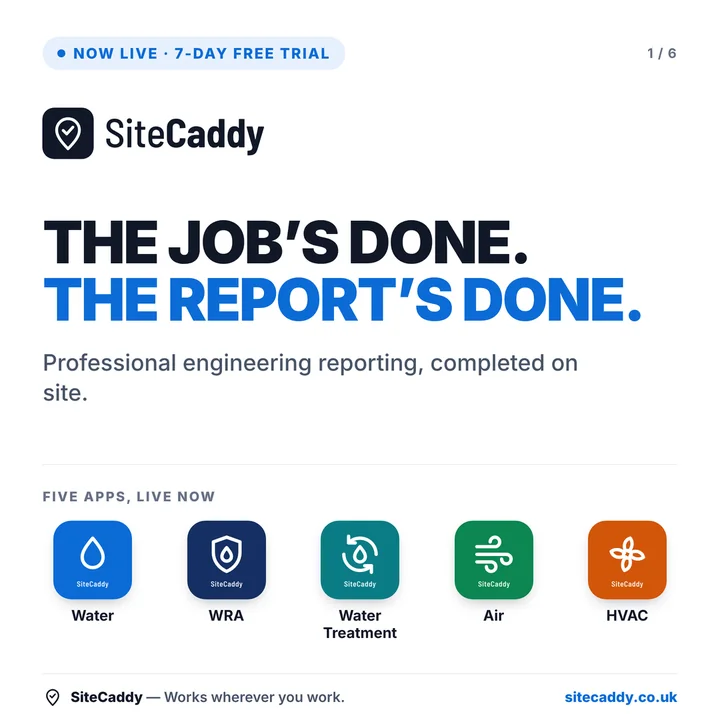
Simple to complete. Professional to deliver.

Compliance reporting apps for building services engineers. Try any app free for 7 days, then from £20 a month. Cancel any time.

  • 7 days free. Card details are taken at sign-up; nothing is charged until the trial ends.
  • Launch price: £20 a month per app (WRA £25). Your price is held for 12 months from the day you join, for as long as you stay subscribed.
  • Cancel any time from your account. No need to contact us.
Currently available on Android
SiteCaddy WaterWater
SiteCaddy WRAWRA
SiteCaddy Water TreatmentWater Treatment
SiteCaddy AirAir
SiteCaddy HVACHVAC
SiteCaddy GasGas

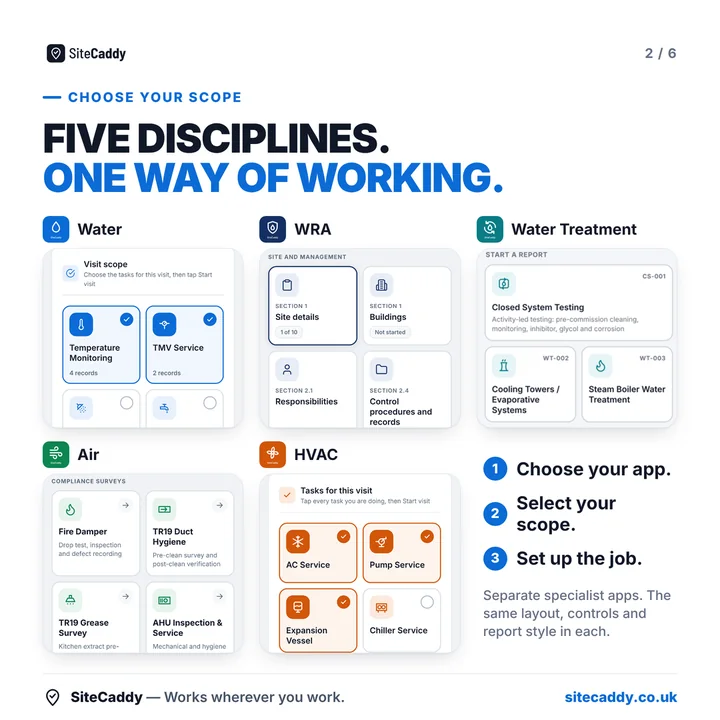
Pick the tools your work demands

SiteCaddy Water
SiteCaddy: Water
Water hygiene compliance for L8 / HSG274 engineers.
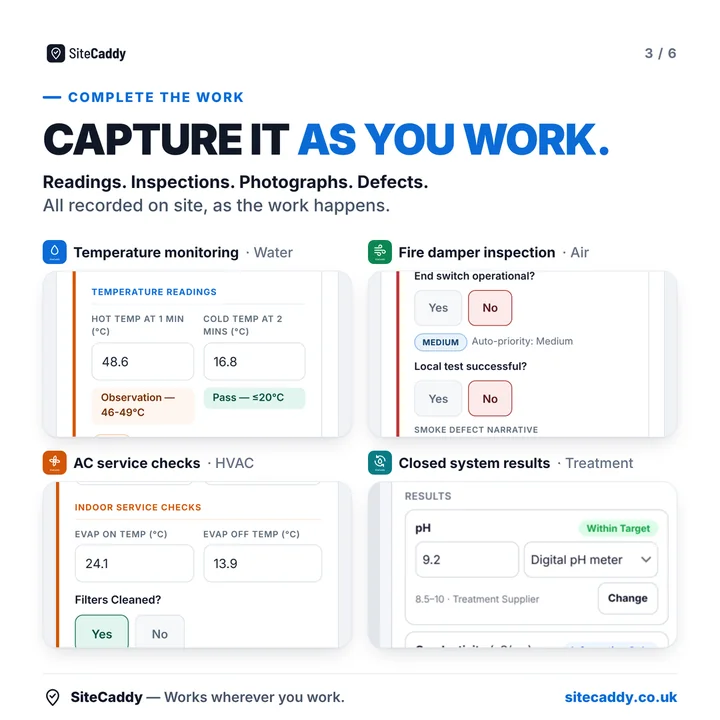
Includes:Temperature monitoring · TMV servicing · Shower descale · Little used outlets · Calorifier inspection · CWST inspection · Calorifier blowdown · Expansion vessel purge · Water sampling · Remedial works · Clean & disinfection
View Sample Report
SiteCaddy WRA
SiteCaddy: WRA
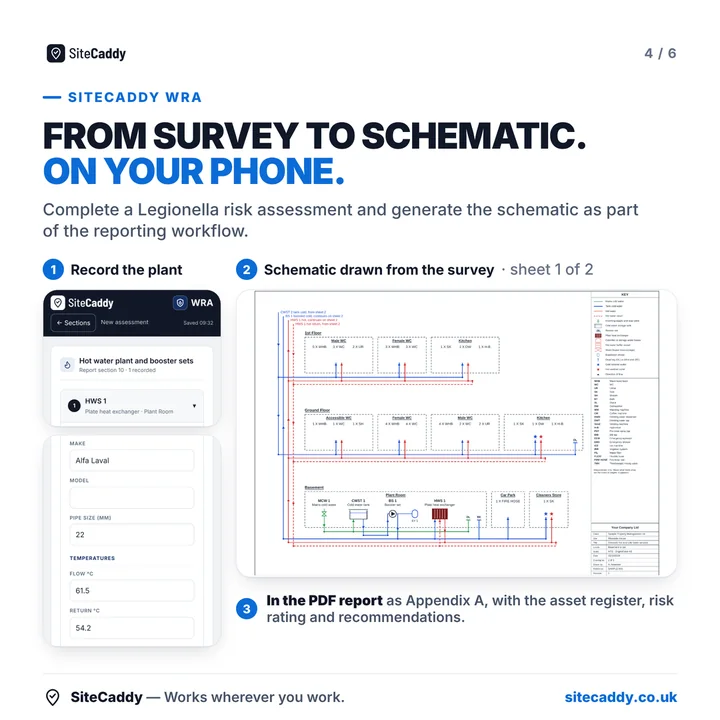
Water risk assessments, written on site.
Includes:Legionella risk assessment (ACoP L8 / HSG274 Part 2 / BS 8580-1) · Automatic recommendations · Risk scoring · Schematic drawn from the survey · Landlord assessment for private lets
View Sample Report
SiteCaddy Water Treatment
SiteCaddy: Water Treatment
Water treatment sampling and service reports.
Includes:Closed system sampling (BG50) · Cooling towers · Steam boilers · Copper / silver ionisation · Secondary disinfection
View Sample Report
SiteCaddy Air
SiteCaddy: Air
Fire damper and air hygiene compliance tools.
Includes:Fire damper inspection (BS9999:2017) · TR19 duct hygiene · TR19 grease survey · AHU inspection & service · Ventilation fans · Ventilation survey · Indoor air quality · Air & surface sampling
View Sample Report
SiteCaddy HVAC
SiteCaddy: HVAC
HVAC service and inspection reporting.
Includes:AC service · Pump service · Chiller service · Breakdown report · Condition survey · Expansion vessel · AHU service · FCU service · Pressurisation unit · Ventilation & extract fan · F-Gas leak check · Refrigerant record · Heating system inspection · Plate heat exchanger · Commissioning
View Sample Report
SiteCaddy Gas
SiteCaddy: Gas
Commercial gas servicing and compliance reports.
Includes:CP15 service certificate · Tightness testing & purging (CP32) · Appliance service · Appliance inspection · Pipework & infrastructure survey · Gas escape · Safety controls & isolation · Catering service · Plantroom inspection · Combustion analysis · Commissioning · Breakdown & repair · Unsafe situation report & Warning Notice · CD/11 oil firing
View Sample Report
Not yet on sale

Up and running in minutes

1

Create your account

Sign up with your email and confirm it using the link we send you.

2

Start your free trial

Pick an app and enter your card details. 7 days free, then billed monthly. Each app is a separate subscription.

3

Install on Android

Open the app link in Chrome on your Android phone, log in, and tap Install.

4

Work offline

Complete inspections, generate PDFs and share reports — no signal needed.

Simple to complete.
Professional to deliver.

Fully offline

Works in plant rooms, basements, and anywhere with no signal. Data saves locally and reports generate on device.

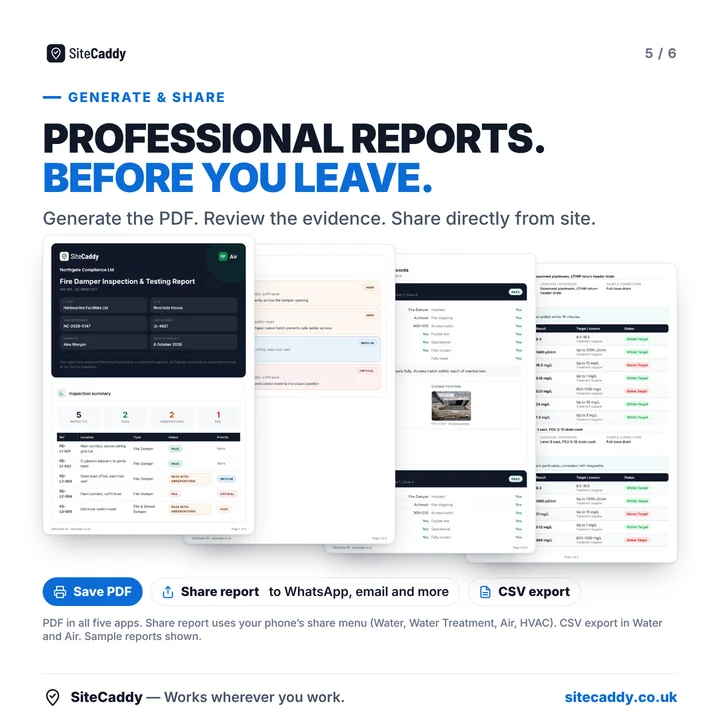
PDF reports on site

Generate professional, compliance-ready PDF reports and share via email or WhatsApp before you leave site.

Auto compliance grading

Traffic light priority classification built in. No engineer interpretation required.

Site memory

Save sites and assets once. Return visits pre-populate with your last inspection data — faster every time.

Ready for clients and managers

Reports are formatted for the people who receive them — clients, FM managers and contractors — not just the engineer who wrote them.

Your data stays on device

Inspection data is stored locally on your phone or tablet. Nothing uploaded to third-party servers without your consent.

Buying for a team, or have a question?

Tell us a little about your work and we'll be in touch. If you just want to try an app yourself, start a free trial above; you don't need to fill this in.

My Apps

Signed in as

How to install your app on Android

Step by step

  1. On your Android phone, open Chrome and log in here at sitecaddy.co.uk
  2. Tap Open app on your app above
  3. Log in inside the app with the same email and password
  4. Tap Install when Chrome offers it, or open the Chrome menu (three dots, top right) and choose Install app or Add to Home screen
  5. Open it from your home screen like any other app. It works offline once it has been opened once with signal

If Install does not appear

  1. Make sure the page is open in Chrome itself. Links opened inside WhatsApp, Gmail, Facebook or LinkedIn use a built-in viewer that cannot install apps: tap its menu and choose Open in Chrome
  2. Update Chrome from the Play Store, then try again
  3. A phone managed by your employer may block installing apps. You can still use the app in Chrome, or ask your IT contact to allow it
  4. Your reports are stored on the phone, inside the app. Do not clear Chrome's site data or uninstall the app without sending your reports first
  5. Still stuck? Email info@sitecaddy.co.uk with your phone model